Data collection
Two ways to record touch together with vision and actions, by teleoperation or with a handheld UMI gripper.
A tactile demonstration records what the sensor feels, what the camera sees and what the gripper does, all at the same moments. There are two ways to collect one.
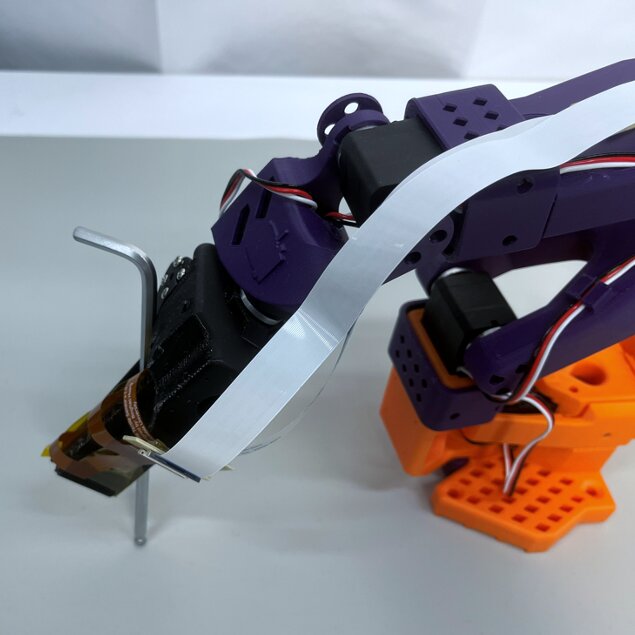 TeleoperationDrive a robot arm and record from the robot itself. One sensor, on the moving jaw.
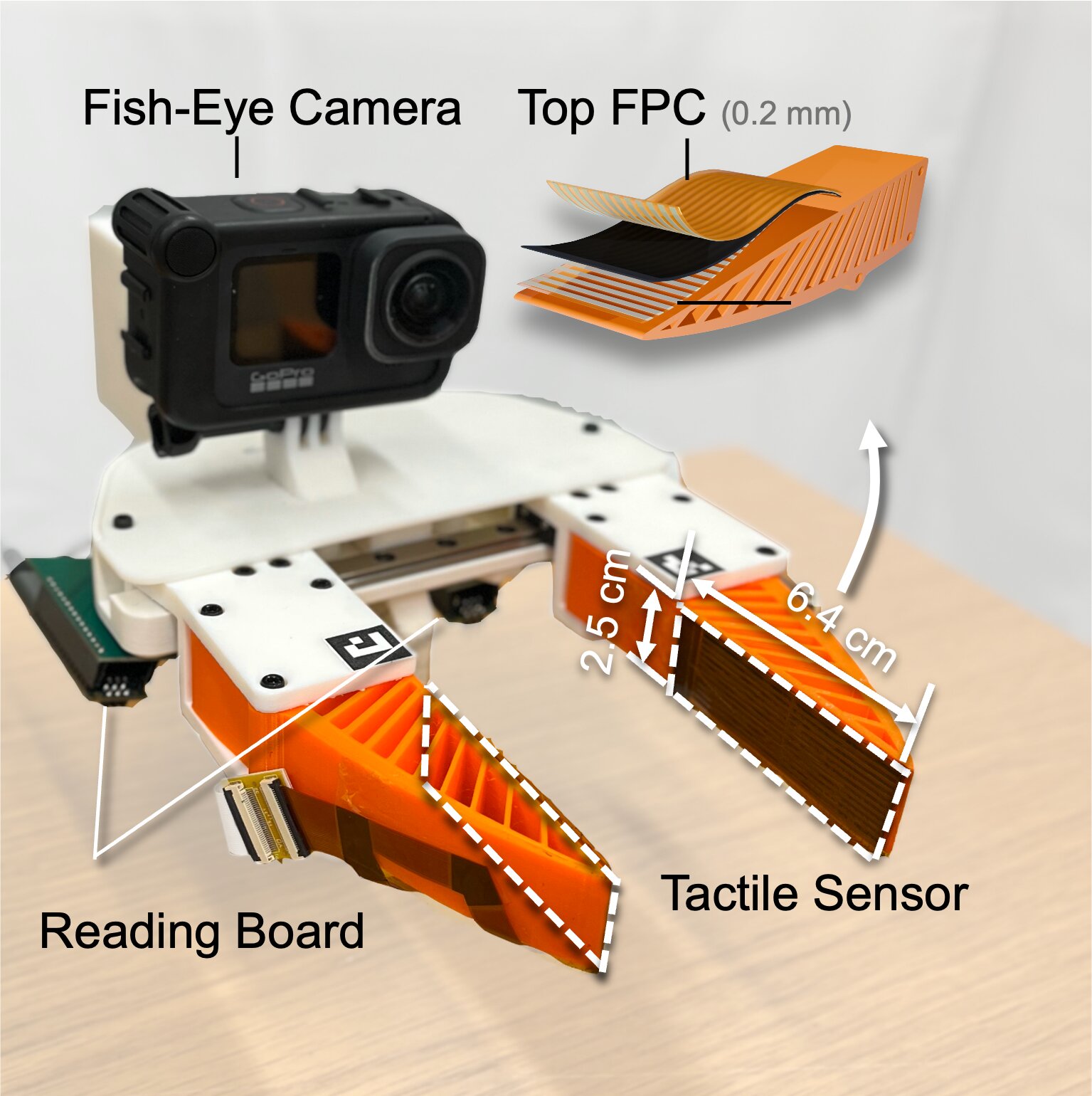 UMI dataHold the gripper and do the task yourself, anywhere, no robot needed. A sensor on each finger.
New to robot learning? Start with teleoperation. It is the lowest-cost setup and uses the sensor exactly as these docs set it up.
Teleoperation
You move a leader arm and the follower robot copies it, so the recorded actions are the robot's own. The open setup is LeFlexiTac, which adds FlexiTac to LeRobot on the low-cost SO-100/101 arm.
- Robot
- SO-100/101 leader and follower arms, a camera and a Linux machine
- Sensor
- One standard FlexiTac sensor (32 × 12), on the follower's 3D-printed moving jaw only
- Reader
- PyFlexiTac, with the firmware from Stream the sensor
- Output
- A LeRobot dataset: the tactile map next to the camera and joint states, at 30 fps
The full guide is steps 01–08 of the LeFlexiTac docs, from building the robot to collecting data. In short:
Build the arm and the tactile jaw
Assemble the arms from the SO-ARM100 guide, then print LeFlexiTac's Moving Jaw and Wrist Roll and fit them.
Install LeFlexiTac
Install the fork from source in a Python 3.12 environment.
pip install lerobotgives you upstream LeRobot, which has no tactile support.Calibrate the arms and mount the sensor
Calibrate and test teleoperation with LeRobot's SO-101 walkthrough, then mount the sensor and confirm it with
flexitac-heatmap.Record demonstrations
Record with
lerobot-recordand theso_tactile_followerrobot type.
Then train ACT or Diffusion Policy, or Pi0.5 and SmolVLA, on your dataset.
UMI data
You hold a UMI-style gripper and do the task yourself, indoors or outdoors, with no robot. A GoPro on the gripper records vision, and a FlexiTac sensor on each soft finger records touch. The open setup is Touch in the Wild (NeurIPS 2025). Its authors used it to collect more than 2,700 demonstrations across 43 tasks in 12 environments.
- Gripper
- The UMI handheld gripper with Touch in the Wild's modifications, and a GoPro Hero 9
- Sensors
- Two standard FlexiTac sensors (32 × 12), one on each soft finger
- Reader
- ROS 2 Humble on Ubuntu 22.04, with older text-format firmware (see the caution below)
- Output
- GoPro video and tactile streams, turned into a training dataset by a SLAM pipeline
- Shared data
- The Touch in the Wild dataset. The pretraining set alone is about 88 GB.
Build the gripper
Build the UMI gripper, then apply Touch in the Wild's top plate and finger holders and add the two sensors. Gripper guide
Set up the recording laptop
Give each reading board a fixed device name, then install the ROS 2 tactile packages. Device names · ROS 2 setup
Collect demonstrations
Record the tactile streams with ROS 2 while the GoPro films. Data collection protocol
Turn the recordings into a dataset
Run the SLAM pipeline on the session folder. README: SLAM pipeline
Next, pretrain the visuo-tactile encoder or start from the released one, then train a Diffusion Policy.
Good data, either way
- Mount on something slightly soft, such as a fin-ray finger, so contact spreads over several taxels.
- Keep the cable still at the connector. Route the flat cable so it doesn't flex while the gripper moves.
- Calibrate after mounting. The mount itself changes the resting baseline.
- Keep touch in sync. LeFlexiTac records touch into the same dataset frames as the camera and joints, so train and run a policy at the frame rate you recorded at. Touch in the Wild shows a QR code to the camera before each demonstration to line up video and touch. In your own setup, record with PyFlexiTac's
sensor.read()so no frame is skipped, and keep each frame'stimestamp_s(Read frames in Python). - Another gripper? FlexiTac-Gen designs a sensor that fits it.